.rbbox{border: 1px solid rgb(192, 192, 192);padding: 5px; background-color: #f0f0f0;-moz-border-radius:5px; margin:5px;} .rbbox:hover{background-color: rgb(255, 255, 255);}

Social Icons

Tampilkan postingan dengan label portable software. Tampilkan semua postingan

Senin, 26 November 2012

WinASO Registry Optimizer 4.8.0.0 Portable


langsung ajja ya gk panjang lebar baca detail nya ajja..

Cekidot.. XD

Feature :
Registry Cleaner
  • Advanced scanning algorithm that scans the entire registry in seconds
  • Comprehensive error report listing registry errors in 20 categories
  • Allows user to sort the error report according to 10 different attributes
  • Powerful registry fixer that quickly fixes all registry problems with just a simple click
  • Provides more freedom by allowing user to select items to fix
WinASO Registry Optimizer will fix all the registry errors that cause system instability, PC errors, crashes, system slowdown, including but not limited to:
Invalid User software settings Invalid class keys
Invalid system software settings Invalid fonts
Invalid browser helper objects Invalid start-up programs
Invalid custom control settings ActiveX errors
Errors in uninstall sections Obsolete history lists
Shared DLL errors Invalid file paths
Sound and AppEvents errors Invalid file extensions
Startup popup window Invalid software locations
Invalid System settings Windows services error
Invalid help and resources Invalid virtual devices
Empty registry keys Invalid device drivers
Privacy Cleaner
  • Scan history records and traces generated by Windows, IE, Firefox, Flash Player, Media Player, and more other applications
  • One-click to clean up all the Windows or internet temporary files, cookies, cache, URL, account and password etc.
  • Protect your privacy. With Privacy Cleaner, your personal information will not be left behind in the computer you used
  • Boost system speed and improve PC performance
System Optimizer
The built-in System Optimizer allows you to optimize your system settings, and as a result, boosts your system speed and improves system performance.

The System Optimizer will optimize the following settings to speed up your system:
  • Automatically end hung applications
  • Enable UDMA66 support
  • Optimize Internet connection
  • Force Windows to Unload DLLs from Memory
  • Speed up Windows refresh
  • Speed up browsing remote computers
  • Speed up loading internet explorer pages
  • Speed up the menu show delay
  • Boost up the Windows prefetcher service

Short-cuts Cleaner
  • Quickly identify and clean up redundant shortcuts that point to non-existent or invalid files
Registry Defrag
  • Quickly analyze your registry
  • Automatically backup, defragment, compact and optimize your registry with a powerful defragmenting algorithm
Startup Manager
  • Instantly detect and list all the programs that run at system startup
  • Allow you to easily edit, disable, enable or delete the startup programs
Uninstall Manager
  • Clearly list all the installed programs on your computer
  • Allow you to quickly remove any unwanted programs to free-up disk space and improve system efficiency
Data Recovery
  • Recovers data on FAT12/ FAT16/FAT32/NTFS/NTFS5 partitions in Windows operating systems.
IE Manager
  • Easily repair your IE problems as well as settings changed by the malicious websites
System tools
  • A number of useful system tools are listed together for your convenience to help you better manage your computer, such as Disk Cleanup, Disk Defragmenter, DirectX Diagnostic Tool, Registry Editor, etc.
System information
  • Quickly analyze your system and provide a detailed comprehensive report of your current system information
User-friendly UI
  • UI is user-friendly. Even novice finds it easy to navigate!


Download : WINASO Registry Optimizer (mediafire 11Mb)

Pass          : beoscreamo.blogspot.com


"> Jika ada delete link ataupun pertanyaan silahkan Coment Dibawah<"


_____"Silahkan Share dimanapun tapi sertakan Link Aktif beoscreamo.blogspot.com"____

Lanjutkan Membaca - WinASO Registry Optimizer 4.8.0.0 Portable

Selasa, 06 November 2012

FreeRapid Downloader 0.9 build 607 Portable


Siapa yang suka download??

tapi sering terjebak karna banyak nya iklan2 di situs download tersebut..
yang akhirnya membuat kita pusing sendiri..
cobain dech software yang 1 ini..

cara pakai nya cukup mudah, tinggal copas ajja link yang akan kita download..
langsung ajja dech cekidot. :D


FreeRapid Downloader 0.9 build 607 Portable

FreeRapid Downloader 0.9 build 607 Portable | 13.39 MB

An application that helps you to make multiple downloads at once from RapidShare.FreeRapid is my next application after Wordrider and Damaq. It's a simple Java downloader that supports downloading from Rapidshare and other file-sharing services. You only have to copy and paste the links from your browser to this application. FreeRapid Downloader will handle the rest itself. No more clicking or uncomfortable waiting.


Here are some key features of "FreeRapid Downloader":

· support for concurrent downloading from multiple services
· downloading using proxy list
· download history
· smart clipboard monitoring
· automatic checking for file's existence on server
· auto shutdown options
· automatic plugins updates
· simple CAPTCHA recognition
· easy to use
· multilanguage interface - Czech, Brazilian portuguese, Danish, English, French, German, Hungarian, Chinese, Indonesian, Italian, Japanese, Polish, Russian, Slovak, Spanish, Turkish, Ukrainian

# # Well-known international sites

• Rapidshare.com (+ premium)

• MegaUpload.com & MegaVideo.com

• Megarotic.com & Sexuploader.com

• NetLoad.in

• Hotfile.com

• FileFactory.com

• Filebase.to

• Uploaded.to

• DepositFiles.com

• Share-online.biz

• Storage.to

• Uploading.com

• Egoshare.com

• Easy-share.com

• Letibit.net

• File2Box.com

• Shareator.com

• Kewlshare.com

• SaveFile.com

• 4shared.com

• Load.to

• UploadBox.com

• UGotFile.com

• FileUpload.net

• Uppit.com

• FileFlyer.com

• EasyShare.ws

• Freakshare.net

• UploadLine.com

• Picasa.google.com

• YouTube.com (video)


NOTE: Jangan lupa buat Update Plugin nya ya.. :)


Download:

VIA UPLOADED

VIA TURBOBIT

NB; untuk menjalankan Free Rapid Harus sudah terinstal JAVA,
jika yang belum Punya silahkan download Java dari File Resminya
==> JAVA
Jika File/link bermasalah silahkan comment dibawah  :)
Semoga Bermanfaat..:)
Lanjutkan Membaca - FreeRapid Downloader 0.9 build 607 Portable

Selasa, 16 Oktober 2012

Portable GiliSoft Video Editor 3.1.2

Banyak yang minta Software Edit Video..
beo Kasih yang portable ya.. biar bisa dibawa kemana-mana..
niyh GiliSoft
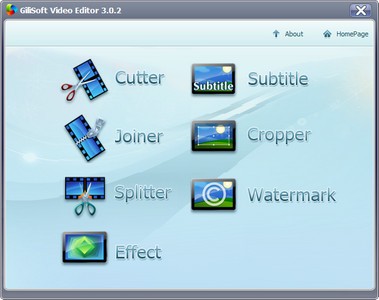
Video Editor yang kaya fitur, dan yang paling penting, utilitas sederhana dan mudah digunakan untuk video editing cepat adalah format yang paling populer (AVI, MPEG, MPG, MPEG-1, MPEG-2, MPEG-4, WMV, MP4, MOV, VOB, ASF, 3GP, 3g2, SWF, H.264, QT, DAT). Dengan program ini, Anda dapat memotong beberapa fragmen video, menggabungkan beberapa segmen video ke dalam satu file, dengan sub judul, dll, semua dikemas dalam GUI yang bagus dan setiap jenis editing dapat dipilih secara independen.


Portable GiliSoft Video Editor 3.1.2
Portable GiliSoft Video Editor 3.1.2 | 11.8 Mb


Fitur:
- Kemampuan untuk menggabungkan beberapa file video menjadi satu.
- Membagi video ke beberapa segmen.
- Potong dan menghapus segmen video yang tidak diinginkan.
- Mengatur parameter video (frekuensi, resolusi, bit rate).
- Bekerja di latar belakang.
- Pemain built-in.


DOWNLOAD  Portable GiliSoft Video Editor 3.1.2
Lanjutkan Membaca - Portable GiliSoft Video Editor 3.1.2

Runtime GetDataBack for NTFS & FAT 4.32 Portable

BeoLovers Kehilangan Data??
di FD ato Memory kalian??
nih ada software Kecil yang cukup bagus untuk mengembalikan Data File yang ilang..
walo dalam bentuk FAT skalipun..
Runtime GetDataBack for NTFS & FAT 4.32 Portable ini bisa dibilang cukup jeli mengembalikan file2 yang hilang..
hampir setiap detilnya dteliti, dari yang file masih bagus walopund crash..

ywdah daripada panjang lebar cobain ajja Dech langsung..

Cekidott.. hehe

http://i44.fastpic.ru/big/2012/1015/69/da78fcde9288f0aa1489b02c1666dd69.jpg

Runtime GetDataBack for NTFS & FAT 4.32 Portable | 7.1 Mb

Data Recovery Software - GetDataBack is a highly advanced data recovery software, which will help you to get your data back when your drive's partition table, boot record, Master File Table or root directory is corrupt or lost, when a virus has hit the drive, files were deleted, the drive was formatted or struck by a power failure. GetDataBack comes in two flavours, NTFS and FAT depending on what file system you have.
GetDataBack will recover your data if the hard drive's partition table, boot record, FAT/MFT or root directory are lost or damaged, data was lost due to a virus attack, the drive was formatted, fdisk has been run, a power failure has caused a system crash, files were lost due to a software failure, files were accidentally deleted...
GetDataBack can even recover your data when the drive is no longer recognized by Windows. It can likewise be used even if all directory information - not just the root directory- is missing. GetDataBack can even recover your data when the drive is no longer recognized by Windows. It can likewise be used even if all directory information - not just the root directory- is missing.

The tool works at partition level and will restore files and folders exactly how they used to be. It recovers data from floppy and ZIP disks, drive images and even remote drives connected by a serial cable or TCP/IP. As the name says, it restores files from FAT/ NTFS disks - file system used by Windows NT/2000/XP, yet works on all Windows systems. Make sure you never install the program on the to-be-recovered drive and you will never lose important data.

Advanced algorithms will make sure that all directories and sub directories are put together as they were, and that long file names are reconstructed correctly. GetDataBack is read-only, meaning the program will never attempt to write to the drive you are about to recover. Please make sure to read the safety instructions...

The software enables the regular user to conduct his own data recovery by guiding him through three easy to understand steps, thus gives the advanced user the possibility to interfere with the recovery and improve the results, by examining the scan log, the file system details, file and directory information, by selecting the sector range to be scanned, by choosing excessive search for file systems or search for lost files, by calling Runtime's DiskExplorer.

Recover files over your local network or over a serial cable - This feature enables you to run GetDataBack on one computer ("remote") while accessing the drives of another computer ("host"). Recovering data over a network is useful, especially when you are not able to remove the drive you want to recover from and attach it to another computer.

GetDataBack recovers from:

- Hard drives (IDE, SCSI, SATA)
- USB drives
- Firewire drives
- Partitions
- Dynamic Disks
- Floppy drives
- Drive images
- Zip/Jaz drive
- Compact Flash Cards
- Smart Media Cards
- Secure Digital Cards
- USB Flash Drive
- iPod Disks

Home Page - www.runtime.org


Download Here
Lanjutkan Membaca - Runtime GetDataBack for NTFS & FAT 4.32 Portable

Rabu, 10 Oktober 2012

Process Lasso Pro 6.1.0.59 Beta + Portable

 Siang BeoLovers..
siang ini beo bakalan Coba Share 1 alat kecil yg berfungsi cukup baik menurut saya..

oke langsung ajja k TKP.. hehe


Process Lasso PRO 6.1.0.59 Beta + Portable

Process Lasso PRO 6.1.0.59 Beta + Portable | 2.57/2.4 Mb
  
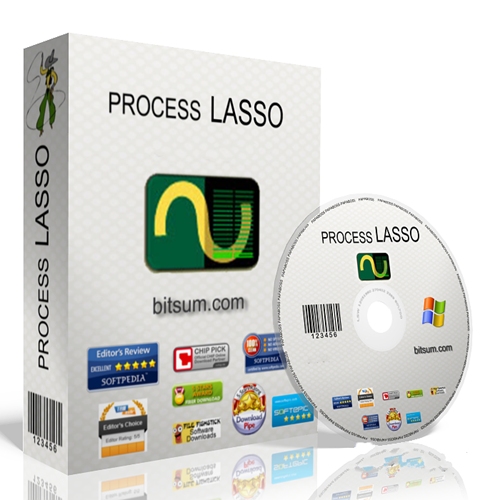
Proses Lasso adalah alat yang mudah digunakan yang secara otomatis dapat menyesuaikan prioritas menjalankan program di komputer Anda. Hal ini penting untuk mengetahui bahwa ini adalah sekarang pengganti Windows Task Manager 'tetapi memiliki hampir fungsi utama yang sama. Proses Lasso adalah sebuah teknologi baru yang unik yang akan, antara lain, meningkatkan respon PC Anda dan stabilitas. Windows, dengan desain, memungkinkan program untuk memonopoli CPU Anda tanpa menahan diri - yang menyebabkan membeku dan hang. ProBalance Proses Lasso ini (Saldo Proses) Teknologi cerdas menyesuaikan prioritas program yang berjalan sehingga berperilaku buruk atau proses yang terlalu aktif tidak akan mengganggu kemampuan Anda untuk menggunakan komputer!

Proses Lasso juga menawarkan berbagai macam cara untuk mengambil kontrol penuh tentang bagaimana CPU Anda dialokasikan untuk menjalankan program. Anda dapat memilih apa yang harus menjalankan proses prioritas, dan yang CPU harus diserahkan kepada mereka. Anda juga dapat melarang program tertentu dari berjalan, log semua program yang dijalankan, tetap menjalankan program, dan jauh lebih banyak.

Setelah Anda menginstal Lasso Proses, itu hanya akan mulai bekerja. Lebih maju pengguna dapat men-tweak konfigurasi, tetapi Anda tidak perlu menyentuh apa pun untuk memilikinya langsung meningkatkan respon sistem Anda dan mencegah warung dalam situasi beban tinggi.

Untuk admin jaringan, Proces Lasso bekerja sangat pada Server Terminal dan di lingkungan multi-user. Kami memiliki banyak klien yang telah menggunakan Lasso Proses pada Server Terminal mereka selama bertahun-tahun. Terbaik dari semua, Process Lasso ditulis dalam native C + +, tidak. BERSIH. Ini berarti mengkonsumsi sumber daya sistem yang sangat sedikit - jauh kurang dari perangkat lunak yang sama.
Proses Lasso berjalan pada semua edisi Windows 2000, XP, 2003, 2008, Vista, dan 7 beta.


Features of Process Lasso:

- Prevent processes from monopolozing the CPU(s)
- ProBalance dynamic priority optimization
- CPU throttling (new)
- Save process priorities for future instances
- Save process CPU affinities for future instances
- Gaming mode
- Foreground boosting
- Limit allowed program instances
- Disallow programs from running
- Log all programs run
- Keep select processes running (auto-restart)
- System responsiveness graph
- Stand-alone core engine
- Available in x86-32 and x86-64 builds
- Extremely low RAM and CPU use
• Much more...


Download: 


Beta:


Portable:

 
Lanjutkan Membaca - Process Lasso Pro 6.1.0.59 Beta + Portable

Selasa, 09 Oktober 2012

Portable TuneUp Utilities 2013 Multilingual

Sore BeoLovers..
Sore ini Dbandung Ujan..
gmn dtempat kalian??

apakah Sama?? hehe

daripada Bnyak Basa Basi, niyh beo Share Software Portable yang udah pasti pada Tau Dong..

Yupz, Portable TuneUp Utilities 2013 Multilingual..
Mungkin Software ini udah gk asing lagi bwt kalian..
yang pasti buat mengoptimizekan Komputer,. untuk mendapatkan Performance yang baik..

Cekidot.. ;)
   

Optimize the performance of your computer without installation.
Portable TuneUp Utilities 2013 Multilingual

English, German, Spanish, French, Italian, Korean, Dutch, Polish, PortugueseBR, Russian, SimpChinese.
Extract and run TuneUpPortable or OneClickPortable.
Settings of installed TuneUp should be preserved.

*Versi Portable Bisa Dsimpan Dplashdisk Juga..
tanpa Harus Instal berulang kali di setiap komputer..
gmn menarik bukan? hehe

Cek Site Resmi  Tune Up Utilities
Lanjutkan Membaca - Portable TuneUp Utilities 2013 Multilingual

Minggu, 11 Maret 2012

Portable Auslogics Disk Defrag Professional v4.0.0.40

Posted Image


Bisa dibilang ini lebih Professional dari pada bawaan windows atau soft yang lain, yang pasti akan lebih tau kalau dicoba terlebih dahulu., dan langsung dijalan kan juga BISA tanpa perlu di instal terlebih dahulu xD


lah bnyk bicara nya dari nama nya juga itu udah terlihat sering Update yg pasti kan lebih PRO !!!!!


langsung DOWNLOAD AJA disini tanpa perlu ADF.LY (Lagi Males, HeHe..)


Bro ini Beoscreamo udah hampir 3 Tahun Loh xD tapi belum pernah pasang Iklan (yg pasti cuma andalin Ziddu + adf.ly) wkawkawka....


Moga BeoScreamo Aktif Lagi Ya ^.^


Niyh Link Donwnload :

http://www.filefactory.com/file/c4a329f/n/T-40040ADDP.rar
 
 
Kasih Tanggapan menarik Ya, C.U 
Lanjutkan Membaca - Portable Auslogics Disk Defrag Professional v4.0.0.40

Sabtu, 15 Oktober 2011

Portable Registry Repair Wizard 2011 Build 6.62

Posted Image

Registry Repair Wizard scans the Windows registry and finds incorrect or obsolete information in the registry. By repairing these obsolete information in Windows registry, your system will run faster and error free. The backup/restore function of the tool let you backup your whole Windows Registry so you can use it to restore the registry to the current status in case you encounter some system failure. Besides above, the startup and BHO organizer feature let you manage your startup and IE BHO items with ease, and you can control the programs started with Windows and IE more handy with this feature! In short, Registry Repair Wizard help you get rid of the bloat in Windows registry and achieve a cleaner, faster system.

Boost System Performance with Registry Repair Wizard
The Windows registry is a database repository for information about a computer's configuration. The registry keep growing when you use Windows. As it does so, it attracts obsolete and unnecessary information, and gradually becomes cluttered and fragmented. With the growing of the registry, it can degrade the performance of the whole system and cause many weird software problems.

Repair and Clean Windows Registry
Registry Repair Wizard not only cleans, but also organizes and streamlines your system registry, unclogging the gunk that life online leaves behind...

Full Windows Registry Backup and Restore
The full registry backup and restore feature let you backup the whole Windows registry and you can use it to restore your system to the previous state in case of any system failure...

Defeat Internet Explorer Hijack and Homepage Hijack
IE guard feature will defeat any browser hijack and homepage hijack problem by spyware and adware programs...

Registry Repair Wizard Features:

• Automatic Registry Scanning and Cleanup
• Backup and Restore the full Registry
• Startup Organizer
• IE BHO Organizer
• Improve system performance
• Remove Trojan which utilize startup items and IE BHO

Fully Compatible with Windows 7, Vista and XP

Registry Repair Wizard is fully compatible with Windows 7, Vista (both x86 and x64 version of Windows7/Vista). Our product supports Windows 7, Vista, XP, 2003, 2000, ME and Windows 98.


Download Portable Registry Repair Wizard 2011 Build 6.62
 
 
Lanjutkan Membaca - Portable Registry Repair Wizard 2011 Build 6.62

Jumat, 24 Juni 2011

Portable Blaze Video Magic Pro 5.0.0.0

Blaze Video Magic is a powerful but easy to use utility for multimedia file conversion. Expanding your multimedia entertainment, Blaze Video Magic realizes you to freely access and enjoy video, music, photo on PC, MP3 player, portable MPEG4 device, PS game player or 3G smart phone. Possessing Blaze Video Magic, you will have a wonderful and extensive digital entertainment life.


What is new

  • Added: Newly support DVD as source video to convert, clip, crop, merge and add watermark & subtitle.
  • Added: Newly add more popular output formats for more known portable devices such as Apple iPad, iPod, iPhone, BlackBerry, Archos, HTC, mobile phones, Nokia and Sony..
  • Added: Add ÐŽ°RegisterÐŽ± hotkey on main interface for convenience.
  • Fixed: Fixed some bugs in Video Magic Professional version 4.
  • Clip: You can clip any part of your preferred movie and convert it into MP4, 3GP or AVI formats for your portable devices.
  • Crop: You can crop the video picture size as you like.
  • Merge: You can merge your desired video files into one.
  • Sync: Support to sync to Apple iPad/iPod/iPhone/PSP.
  • Online Upgrade: Support online upgrade anytime, letting you keep the latest version all the time!
  • YouTube Video Download: Support to download video files from YouTube and Yahoo!
  • Support High-Definition (HD) video as Input and Output files
  • Exact audio from video file and convert audio to MP2, MP3, AAC, AC3.
  • There is no time limit to convert, clip, crop and merge video files.
Download Youtube more practical in the type of file sharing.
Lanjutkan Membaca - Portable Blaze Video Magic Pro 5.0.0.0

Rabu, 01 Juni 2011

Portable WinRAR 4.01 Final


WinRAR is a powerful archive manager (Win86/64, Linux, Mac). RAR files can usually compress content by 8 percent to 15 percent more than ZIP files can. WinRAR is a powerful compression tool with many integrated additional functions to help you organize your compressed archives. It can backup your data and reduce size of email attachments, decompress RAR, ZIP and other files downloaded from Internet and create new archives in RAR and ZIP file format.
WinRAR puts you ahead of the crowd when it comes to compression. By consistently creating smaller archives, WinRAR is often faster than the competition. This will save you disc space, transmission costs AND valuable working time as well. WinRAR is ideal for multimedia files. WinRAR automatically recognizes and selects the best compression method. The special compression algorithm compresses multimedia files, executables and object libraries


Features of WinRAR:
1. Using WinRAR puts you ahead of the crowd when it comes to compression by consistently making smaller archives than the competition, saving disk space and transmission costs.
2. WinRAR provides complete support for RAR and ZIP archives and is able to unpack CAB, ARJ, LZH, TAR, GZ, ACE, UUE, BZ2, JAR, ISO, 7Z, Z archives.
3. WinRAR offers a graphic interactive interface utilizing mouse and menus as well as the command line interface.
4. WinRAR is easier to use than many other archivers with the inclusion of a special "Wizard" mode which allows instant access to the basic archiving functions through a simple question and answer procedure. This avoids confusion in the early stages of use.
5. WinRAR offers you the benefit of industry strength archive encryption using AES (Advanced Encryption Standard) with a key of 128 bits.
6. WinRAR supports files and archives up to 8,589 billion gigabytes in size. The number of archived files is, for all practical purposes, unlimited.
7. WinRAR offers the ability to create selfextracting and multivolume archives.
8. Recovery record and recovery volumes allow to reconstruct even physically damaged archives.
9. WinRAR features are constantly being developed to keep WinRAR ahead of the pack.


Lanjutkan Membaca - Portable WinRAR 4.01 Final

Selasa, 17 Mei 2011

Portable The Cleaner 2012 v8.1.0.1080 Multilanguage


The Cleaner is an easy-to-use application designed to protect, prevent and recover your system from malicious software (malware) attacks including Trojans, Spyware, Adware, Fraudware and all manner of harmful programs. We use varied methods to protect your system from malware. The Cleaner can detect and remove malware that is often missed by anti-virus software. The Cleaner was the first malware removal program on the market and continues to be the best choice for consumers to protect and recover from malicious software attacks.
 
 
Features of The Cleaner :
  • Malware Protection
  • Live Updates
  • Registry Monitoring
  • Active Scanning
  • Stealth Mode
  • Quarantine Manager
  • Scheduler
  • In-Program File Submission
  • Command Line File Testing
  • Email Alerts
  • Admin Message Alerts
  • TCMonitor Ignore List
  • TCMonitor Editor
  • Active Scanner Ignore List
  • Encrypted Configuration Data
  • Expanded Scan Information
  • Scan Pause/Resume
  • Enhanced Fonts In TCActive!
 
What's New in The Cleaner 2012

• MooNet
MooNet allows you to share information about the malware being detected on your computer.
• Faster Scanning
We didn't think it was possible but The Cleaner 2012 is even faster than before!
• Advanced/Basic View
Find yourself overwhelmed with all the features of The Cleaner 2012? Just switch to basic view!
• Simplified Configuration
Many important configuration options are taken care of up front.
• Tools
We have included useful tools to manage and protect your system.
• Administrative Feature
The Cleaner 2012 will send emails about threats it finds making it easier to administer large installations.
• New look
There's a new look that we hope will be easier on the eyes!
• New TCActive!
TCActive! has been rewritten. It is now faster, less resource hungry and can particiipate in MooNet.
• New command line scanner
The command line scanner has been updated.
• Improved Documentation
We listened to you and improved our documentation!

 
What's New in This Release:
  • Fixed timing to eliminate delay when scanning is started.
  • Minor fixes. 


Lanjutkan Membaca - Portable The Cleaner 2012 v8.1.0.1080 Multilanguage

Selasa, 10 Mei 2011

Portable PhoXo 7.1


PhoXo is a free and powerful image editing software. It's tiny, fast, easy to use, can be treated as a mini PhotoShop. Its features include layers, undo, over 50 special effects, batch processing, and a wide variety of useful and powerful tools for selecting, crop, painting, retouching, measuring and navigation. Especially, you can easily add text effects to image, such as shadow text, ripple text, gradient color text etc. PhoXo web site provides a large number of resources, including step by step tutorials, thousands of free clip-art, frames, patterns, textures and shapes.


Tiny
The size of installer with many clip art and texture is only 4MB, memory usage is very small

Fast
Extensive work to make PhoXo speed up, even runs on a netbook, you can expect PhoXo to start up very quickly

Online ClipArt
Provides thousands of clipart, frame, texture, stamp, brush style for free downloads Easy to Use
every tool including a help tip for quick learning, and home website offers great variety of tutorials and examples

Text Effects
Easily create shadow text, gradient text, glass text, scanline text, blur text, water ripple text, and more

Creative Effects
More than 50 effects including oil painting, mosaic, pencil sketch, soft edge, splash, emboss, and more

Layer
Simple and powerful layer management support drag and drop operations

Selection
Marquee, lasso, magic wand tool help you to select a portion or a subset of an image to work on

Brush Pen
Pen, brush, eraser, clone with variety of styles for your painting Photo Enhancement
red-eye removal, glow, sepia and more tools help to retouching, correcting, or improving digital photo


Lanjutkan Membaca - Portable PhoXo 7.1

Sabtu, 30 April 2011

FC Portables AVS Multimedia Suite


  • AVS Audio Converter
    Convert audio between various formats: WAV, PCM, MP3, WMA, OGG, AAC, M4A, AMR and others. Add text information to your audio files.
  • AVS Cover Editor
    Design your own disc cover. Use ready templates or import images from your computer. Create different labels for optical discs and box covers, edit, print or save them for future editing. AVS Cover Editor - easy to use, quick to get a perfect result.
  • AVS DVD Authoring
    AVS DVD Authoring is an easy-to-use disc authoring and burning software that lets you do more with digital media. It has been designed to help you organize your video footage into a professional and good-looking DVD project.
  • AVS DVD Copy
    Make backup copies of your CD/DVD discs, restore a DVD-Video disc, burn data discs with AVS DVD Copy.
  • AVS Image Converter
    Convert piles of images to all key formats at one go! Make quick adjustments - resize, rotate, apply auto-correction settings. Select between a number of effects. Get your pictures ready to be printed or uploaded to websites!
  • AVS Photo Editor
    Improve your photos - adjust size, zoom, change and improve colors, sharpen objects shapes. Apply pre-made effects. Make your photos look perfect. Work smoothly with AVS Photo Editor an easy tool for photo editing!
  • AVS Screen Capture
    This option allows you to capture any actions on the desktop to make your presentation or video tutorial more vivid and easily comprehensible. You can record all the operations you perform with the mouse and anything you see on your computer screen within the selected area. The captured video can be previewed and saved in the FLV, WMV or AVI formats.
  • AVS Video Converter
    Convert video to ALL KEY FORMATS with AVS Video Converter. Create HD-, Blu-ray videos with enhanced menus. Сonvert files for various devices and upload videos on popular websites directly from the program interface.
  • AVS Video Editor
    Edit your video recordings and make your own movie with a few simple drag-and-drops. Enhance your videos with effects, menus and audio, so that they have a professional look.
  • AVS Video Recorder
    Transfer video from your old VHS tapes, miniDV and WEB cameras to hard drive in AVI, MPEG-2 formats or create personal movie DVDs.
  • AVS Video ReMaker
    Edit video files without reconversion. Cut unwanted scenes from videos recorded with various PVR, DVR & DVD camcorders. Insert DVD and Blu-ray menus.
  • AVS Video Uploader
    AVS Video Uploader is a wizard-styled utility, which allows you to transfer converted video files from your PC to popular video-sharing websites, like Facebook, Dailymotion, YouTube, Photobucket, TwitVid, MySpace, Flickr.


Lanjutkan Membaca - FC Portables AVS Multimedia Suite

Jumat, 29 April 2011

Portable Registry Winner 6.3.4.28 Multilanguage


Registry Winner™ claims to be the most advanced technology in pc diagnosis and repair. It can do a complete scan of the pc errors such as system slowdown, freezing, crashing and deadlock. Safely optimize the speed of system and set your PC in a fantastic performance! Registry Winner™ is a top-ranking error-resolution technology which will fix the computer errors and optimize the system speed. Various annoying problems will gradually appear like slow speed, crashing or freezing, blue screen, deadlock, error messages etc. after your computer being used for a period of time.
 
 
Features:
  • Check Invalid User Settings
  • Check Invalid System Settings
  • Check Invalid Application Paths
  • Check Recently Used Files
  • Check Invalid Class Keys
  • Validate Active-X, OLE & COM Objects
  • Check Uninstall Sections
  • Check Invalid Fonts
  • Runtime Errors
  • DLL Errors
  • Windows Startup Errors
  • Internet Explorer Errors
  • Java Errors
  • javascript Errors
  • Check Shared DLLs
  • Validate Startup Programs
  • Check Invalid Shortcuts
  • Check Invalid File Associations
  • Check Invalid Start Menu Items
  • Check Recently Used Files
  • Delete Empty Registry Keys
  • Checks System Services
  • Blue Screen
  • Driver Errors
  • System Crashes
  • Task Manager Related
  • Most Registry Problems
  • Organize Quicker Startup Programs
  • Fix Report
  • Auto-Backup & Full Backup
  • Ignore List
  • Computer Management
  • Windows Update
  • System Properties
  • Control Panel
  • Disk Defragmenter
  • Disk Cleanup
  • Local Security Settings
  • Local Users and Groups
  • Group Policy Editor
  • Security Center
  • Device Manager
  • Event View
  • Disk Management
  • Performance Monitor
  • Add/Remove Manager
  • BHO Manager
  • Internet Options
  • Scheduler
  • Load Windows Faster
  • Run Applications Smoothly
  • Regain More Disk Space
  • High-performance scanning


Size : 4.06 MB


Lanjutkan Membaca - Portable Registry Winner 6.3.4.28 Multilanguage

Selasa, 26 April 2011

Portable AKVIS Suite 2011 Multilanguage


  • AKVIS ArtSuite v6.7
  • AKVIS ArtWork v4.0
  • AKVIS Chameleon v7.0
  • AKVIS Coloriage v7.5
  • AKVIS Enhancer v11.5
  • AKVIS Lightshop v3.0
  • AKVIS Magnifier v4.0
  • AKVIS MultiBrush v5.5
  • AKVIS NatureArt v2.0
  • AKVIS Noise Buster v7.5
  • AKVIS Refocus v1.0
  • AKVIS Retoucher v4.5
  • AKVIS Sketch v12.0


Lanjutkan Membaca - Portable AKVIS Suite 2011 Multilanguage

Kamis, 21 April 2011

Portable Virtual Piano v3.0.0

 
Virtual Piano is a powerful simulation of various musical instruments. Apart from a regular piano, the program can also simulate over 600 other instruments and various sound effects! The user interface is extremely easy but powerful. If you don't understand some of the options, you don't even need to! Simply choose your favourite instrument from the box and start playing using your mouse, your computer's keyboard or any other external device...

The user interface is very similar to a real piano. If you are somebody who loves music but simply cannot afford a real piano or keyboard, or would just like a program to have fun with, this program is for you! If you are a professional, you will find this program extremely useful because of the various options. Choose the instrument and start creating your own music today! Now you can even export your recordings to a .mid file for playback with any media player such as Winamp or Windows Media!
 
 
Features:
  • Choose from over 600 different musical instruments and various sound effects!
  • Play like a pro using simply your computer's keyboard or mouse.
  • Fun and easy to understand but powerful user interface.
  • A preset song to get you started.
  • Record/Play your own song!
  • Save your recording to a file!
  • Simple mode hides all the complicated options to make Virtual Piano easy to use.
  • Export your recording to a .mid file!
  • Play the piano using any device connected to your computer!


Lanjutkan Membaca - Portable Virtual Piano v3.0.0

Senin, 18 April 2011

SARDU (Shardana Antivirus Rescue Disk Utility) 04.2011

 
Multi-Boot Rescue Disk with latest release (16/04/2011) of the following antiviruses embedded:

  • AOSS PcTools
  • AVG Rescue CD
  • Avira Antivir Rescue System
  • BitDefender
  • Dr.Web LiveCD
  • eScan
  • F-Secure
  • GDATA
  • Kaspersky KAV Rescue CD
  • Panda Safe CD
  • Ubuntu
  • VBA Rescue MRT Rescue


Lanjutkan Membaca - SARDU (Shardana Antivirus Rescue Disk Utility) 04.2011

Selasa, 12 April 2011

Portable Adobe Photoshop Lightroom v3.3 Multilanguage

 
New Adobe Photoshop Lightroom software is the professional photographer's essential toolbox, providing one easy application for managing, adjusting, and presenting large volumes of digital photographs so you can spend less time in front of the computer and more time behind the lens. So you can spend less time sorting and refining photographs, and more time actually shooting them. Its clean, elegant interface literally steps out of the way and lets you quickly view and work with the images you shot today, as well as the thousands of images that you will shoot over the course of your career. Because no two photographers work alike, Adobe Lightroom adapts to your workflow, not the other way around.


New in Lightroom 3.3

  • The goal of this release is to provide additional camera raw support, lens profile support and address
  • bugs that were introduced in previous releases of Lightroom 3. (A comprehensive list of issues fixed in
  • this release is included below.)


Lightroom 3.3 Bugs - Fixed

  • Edit in PS CS4 from LR 3.2 did not give option to render to TIFF/PSD
  • Process Version defaulted to PV 2003 when Lightroom's installed Develop Presets are applied on Import
  • All Auto-ISO values were not properly handled for the Nikon D3s
  • An error could be generated when sorting by User Order in Collections
  • There was an incorrect Profile Name tag for Canon 18-55 and 17-40 lens profiles
  • Facebook album selection only displayed up to 25 albums
  • Lightroom 3 could fail to launch Photoshop CS5 if Photoshop CS4 was uninstalled after the Photoshop CS5 installation
  • Numerous cloning or healing spots could have caused Lightroom to become unresponsive
  • Lightroom could have crashed when the metadata filter is selected and the grid is displaying all images in the catalog
  • Lightroom 3.2 could have failed to import all of the images from an iPhone 4
  • Some Sigma X3F raw files were rendering incorrectly
  • Choosing the Make a second copy to option on import would result in incorrect folder structure for the second copy
  • Resetting the crop angle by double-clicking the Angle slider removed a custom aspect ratio
  • A tooltip for the Japanese language version of Lightroom 3 displayed the wrong keyboard shortcut for Flag as Pick
  • Paste Settings did not apply to all images in the Develop module Filmstrip
  • Smart collections in Lightroom 3 did not use the same definition of All Searchable Metadata previously available in Lightroom 2
  • Text watermarks or portions of text watermarks could have failed to be applied to images on export 5
  • SmugMug publish collection dialog included a mixture of English text when using a language setting other than English
  • Lightroom would not import files from the Panasonic LX5 that were shot with the iZoom Function set to above 90mm
  • Choosing the Limit File Size option in the export dialog could have stripped certain EXIF fields from the exported file
  • The Targeted Adjustment Tool may have performed slowly in the Lightroom 3.3 release candidate
  • A single image published to multiple collections for a single publish service did not display comments properly
  • Updating an existing Develop preset with all settings could have failed under certain conditions
  • The watermark drop shadow settings behaved differently in Lightroom 3.2 when compared to Lightroom 3.0. They have been returned to the Lightroom 3.0 behavior.
  • The YYYYMMDD file renaming option was not available when the Lightroom language setting was set to Dutch
  • An existing Smart Collection updated to filter for all photos with Ratings is Zero would show all images in the catalog
  • Publishing an empty category to SmugMug would cause an error
  • JPEG exports in the Lightroom 3.3 Release Candidate were significantly slower than the same export process in Lightroom 3.2.
  • A graphical Identity Plate included in output was not correctly color managed
  • Deleting all images in a Flickr photoset could have caused Lightroom to return an error message
  • Changing the sort order to User Order while in Survey View on the Mac may have caused an error to appear
  • Lightroom could have failed to respond when viewing an image containing numerous cloning or healing spots at 1:1 view
  • RGB values were not displaying properly in the white balance tool
  • The Smart Collection criteria Folder starts with was not working properly
  • The navigator panel in the Develop module would incorrectly display threshold information holding down the alt or option key and applying adjustments
  • Applying a flag, star or label setting to an image via the toolbar in the Develop module while in auto-advance mode would result in an incorrect setting display for the subsequent image
  • The application of color noise reduction at low color temperatures (e.g., tungsten or candlelight) could have provided results below our quality standards


Lanjutkan Membaca - Portable Adobe Photoshop Lightroom v3.3 Multilanguage

Portable TuneUp Utilities 2011 v10.0.4010.20

 
TuneUp Utilities automatically runs important maintenance tasks for you, makes you aware of any problems and offers simple solutions. This ensures performance is always at its best. A slow and untidy computer is now a thing of the past for you. You can also use TuneUp Utilities to customize the appearance of your Windows system - to make working on your computer more enjoyable.

With TuneUp Utilities you will quickly make your Windows system faster and more convenient to use- and ensure that it stays like this for the long term. This makes TuneUp Utilities the perfect program for everyone: for those who would rather leave the computer maintenance to a reliable partner as well as for those who would rather do everything themselves.

The TuneUp Turbo Mode provides an immediate performance boost whenever you need it. When you use your computer in the TuneUp Turbo Mode, an analysis is performed to see which tasks, programs and functions are currently running in the background that are not strictly necessary. These programs are stopped or slowed down, allowing the additional processing power gained to be used exclusively by the programs you are actually running.

Key Features:

The new Start page
TuneUp Utilities 2011 welcomes you with a completely redesigned Start page, which tells you about the status of your computer. If problems or nonoptimal settings are found, you are only a mouse-click away from resolving them. The Start page also tells you when new tips for increasing computer performance are available and warns you if maintenance tasks are not being taken care of automatically. The Start page also shows you whether new automatic startup programs have been added to Windows since the last time you ran TuneUp Utilities. You can decide whether these programs that start up automatically are really necessary.

TuneUp Speed Optimizer
Which settings slow your computer down? Which unnecessary services or programs are running in the background? Is your Internet connection optimally configured? TuneUp Speed Optimizer knows the answers to all these questions. It examines your entire system for bottlenecks, superfluous background programs, and incorrect settings. Great: with just one click you can carry out most optimizations very quickly. In addition, TuneUp Speed Optimizer provides suggestions for speeding up your system.

TuneUp Shortcut Cleaner
Cleaning up your working environment is tedious: removing invalid shortcuts from the Start menu, the Desktop, and the Quick Launch bar is very time-consuming. TuneUp ShortCut Cleaner now does the work for you. It checks whether all shortcuts are valid and removes the orphaned ones with just a click of a button. At the same time, empty folders are removed from the Start menu. TuneUp ShortCut Cleaner also checks frequently used programs and cleans up the list of recently opened files.

Support for the Opera browser
After hard disk defragmentation, which we introduced in TuneUp Utilities 2009, the feature most requested by customers was support for the Opera browser. TuneUp Utilities 2010 now also includes full support for Opera. Via several special Opera settings, TuneUp System Control now allows you to change the number of Speed Dial entries, conveniently choose your default search engine, and reenable fast backward and forward navigation. Internet optimization lets you optimize Opera's performance for your Internet connection. Free up disk space lets you delete the Opera cache.

TuneUp Styler
Now you can also change the Vista logo animation which appears just before logon. You can download a whole series of great animations from the TuneUp website. Or, if you prefer, you can choose your own personal image to display while Vista starts up. With Vista, you can also add your own images to Vista's logon screen: With just a few mouse clicks you can create a truly personal logon experience.

TuneUp Uninstall Manager
Redesigned from the ground up, TuneUp Install Manager now runs much faster and has a new, even more intuitive interface so that it is even easier to uninstall unnecessary programs. Unnecessary programs often are forgotten because they were installed a long time ago and then not used. TuneUp Utilities 2009 shows you a list of programs not used for a long time so that you can target for uninstallation those applications that use valuable disk space and in certain circumstances even slow your system down.

TuneUp StartUp Manager
A smooth-running system results when there are no unnecessary autostart applications. The improved TuneUp Startup Manager organizes your programs into groups and provides clear explanations to make it easier for you to identify those programs that are not needed.New automatic startup programs are now highlighted so that you can disable unwanted entries more easily. System start tasks are now also listed in TuneUp StartUp Manager In Vista, in particular, scheduled tasks are used in place of autostart entries.

Free up disk space
The already rapid display of disk space to be freed up is now even faster on NTFS drives. And now it is so easy to delete even more unnecessary files, like the backup files for the first Windows Vista service pack and the Opera and Safari caches. The second "Free up disk space" module that helps you turn off Windows functions that use excessive disk space has also been enhanced. The Windows Search index can now be disabled and deleted with a single click. This makes particular sense if you are already using a different search engine. In addition, TuneUp Disk Space Explorer now runs faster and no longer requires that an entire drive be analyzed. You can now specify that only those folders be analyzed that you are really interested in.

Lots more improvements
Along with the totally new features, there are a series of improvements that are not immediately visible. There are small improvements like Tooltips in the main window, a substantial increase in the number of problems that can be found byTuneUp Registry Cleaner, and better progress feedback from TuneUp Drive Defrag. But there are also big improvements "under the hood". Two good examples are a completely reworked installation program and significant improvements in our update technology.


Lanjutkan Membaca - Portable TuneUp Utilities 2011 v10.0.4010.20

Jumat, 08 April 2011

Portable DriverUpdate v2.2.4118.505

 
DriverUpdate is a professional application designed to find drivers updates for your system. DriverUpdate uses the latest technology to move the process of maintaining drivers from the local PC to the cloud. Cloud computing has revolutionized the way information is shared and communicated. DriverUpdate utilizes the cloud to provide a continuous stream of data to every version of the application. This provides users with up-to-the-minute evaluations of available drivers and, even better, it keeps users up to speed with the latest updates available from all their favorite manufacturers. Trying to manually keep track of every driver release, every system upgrade, and every Windows update can take time and energy. It constitutes hours spent searching the web or using fragmented driver apps that rely on once-and-a-while updates to make their evaluations. Because of its link to a dynamic data cloud, DriverUpdate is always in sync with the latest releases, and its automated scanning utility makes updating drivers easier than ever. Users can download drivers and updates individually, or get them all in at once. Push button technology allows anyone, no matter what their skill level, to easily assess and understand their PC maintenance profile. With the click of a mouse, those uses can then begin all of their update installations at once. This saves time, trouble and headaches by helping to avoid the pitfalls of confusing update sequences.


Key features:

The Better Method:
· Our online data cloud gives you the advantage over other programs. While most driver updaters have to spider the web, looking for the most up-to-date drivers, DriverUpdate simply accesses a single source and gets it. The cloud is constantly refreshed, being fed new definitions hourly, so no matter how old or new your PC is, it's components are on-call. Get the right hardware definition every time.

Enhanced Scanning:
· The beauty of DriverUpdate' s dynamic update process is that it allows for the best customization. When you run a scan with SlimDrivers or DriverUpdates, you make an individualized profile of your PC - the exact hardware you have and the specific configurations that apply to that hardware. This way, when you get updates, they're not only the most newly available, but the most precise. Never worry about getting the wrong driver again.

The Right Way to Do It:
· DriverUpdate doesn't give you a dumbed down version of what's happening behind the scenes of your computer. Instead, it brings a complicated system into perspective. Anyone can use it by just pointing and clicking. Our specialized interface lets you view driver specs in a way that is familiar, with push-button controls.
· By approaching the task of driver maintenance with intuitive controls, engineered organization and an attitude of openness, DriverUpdate, takes the technical and makes it accessible.


Lanjutkan Membaca - Portable DriverUpdate v2.2.4118.505